How to break down epics into sprint-ready stories

Agile team at a whiteboard breaking apart a large sticky note into several smaller ones, representing the process of splitting an epic into manageable user storiesAgile team at a whiteboard breaking apart a large sticky note into several smaller ones, representing the process of splitting an epic into manageable user stories An epic sitting in your backlog isn't work. It's a promise that work exists somewhere inside it. Until you break it down into stories your team can estimate and deliver in a single sprint, it's just a placeholder with ambition. Most teams know this. Where they get stuck is the actual splitting. The epic feels like one big thing, and every attempt to break it apart either produces pieces that are too small to be meaningful or too large to fit a sprint. This guide covers the patterns and techniques that make the split clean.

What makes a story "sprint-ready"

A sprint-ready story meets these criteria:
  • Small enough to complete in one sprint (ideally 1-5 story points)
  • Independently deliverable, meaning it doesn't depend on other stories finishing first
  • Vertically sliced, delivering a thin slice of end-to-end functionality, not just a backend piece or just a UI
  • Estimable by your team in planning poker without a 15-minute debate
  • Testable with a clear pass/fail condition
If you're familiar with the INVEST criteria, this is the same idea. The goal is stories that feel concrete enough to build from.

6 patterns for splitting epics

There's no single right way to split an epic. But these six patterns cover most situations. Try them in order. The first one that fits usually produces the cleanest stories.

1. Split by workflow step

Most epics describe a multi-step process. Each step can become its own story. Epic: "As a customer, I want to purchase a product online."
StoryDescription
Browse productsCustomer can view a product catalog with filtering
Add to cartCustomer can add items to a shopping cart
CheckoutCustomer can enter shipping and payment details
Order confirmationCustomer receives a confirmation email after purchase
Each story is independently valuable. A customer who can browse products gets value even before checkout exists.

2. Split by business rule

When an epic has branching logic or multiple rules, each rule is a natural split point. Epic: "As a user, I want the system to calculate shipping costs."
  • Free shipping for orders over $50
  • Flat rate $5 for standard domestic shipping
  • Real-time carrier rates for express shipping
  • International shipping with customs estimation
Start with the simplest rule (flat rate) and layer complexity in subsequent sprints.

3. Split by user type

If different users interact with the same feature differently, each perspective is a story. Epic: "As a user, I want to manage team members."
  • As an admin, I want to invite new members by email
  • As an admin, I want to remove members from the team
  • As a member, I want to view who's on my team
  • As an owner, I want to transfer ownership to another admin

4. Split by happy path vs. edge cases

Build the straightforward case first. Handle errors, edge cases, and validation in follow-up stories. Epic: "As a user, I want to upload profile photos."
  • Happy path: Upload a JPEG or PNG under 5MB and see it as my avatar
  • Edge case: Show an error when the file is too large or wrong format
  • Edge case: Crop and resize the image before saving
  • Edge case: Delete or replace an existing photo

Developer looking at a whiteboard diagram showing a large box labeled epic being split into smaller connected boxes representing user stories, with arrows showing dependenciesDeveloper looking at a whiteboard diagram showing a large box labeled epic being split into smaller connected boxes representing user stories, with arrows showing dependencies

5. Split by data type or platform

If a feature applies across multiple data types, platforms, or integrations, each one is a story. Epic: "As a user, I want to export my reports."
  • Export as CSV
  • Export as PDF
  • Export as Excel
  • Email a scheduled export

6. Split by performance or scale

Start with something that works for the common case. Optimize later. Epic: "As a user, I want to search across all projects."
  • Search within the current project (simple query)
  • Search across all projects (requires indexing)
  • Add filters (date range, assignee, status)
  • Autocomplete suggestions as you type

A real example: breaking down "user notifications"

Here's how this looks in practice. Say your backlog has this epic: "As a user, I want to receive notifications about activity relevant to me." That's massive. Let's apply the patterns: First, split by workflow. Sending vs. receiving vs. managing notifications are separate concerns. Then split by channel. Email, in-app, and push notifications are each their own story. Within each channel, split by business rule. Which events trigger a notification? Each one (mentioned in a comment, assigned a task, deadline approaching) is a story. Finally, pick the happy path. Start with "user receives an in-app notification when assigned a task." One channel, one trigger, done. Layer on email, push, preferences, and digest options later. The result: instead of one epic estimated at "huge" that sits in the backlog for three sprints, you get 8-12 stories that can be prioritized, estimated, and delivered incrementally.

The vertical slice rule

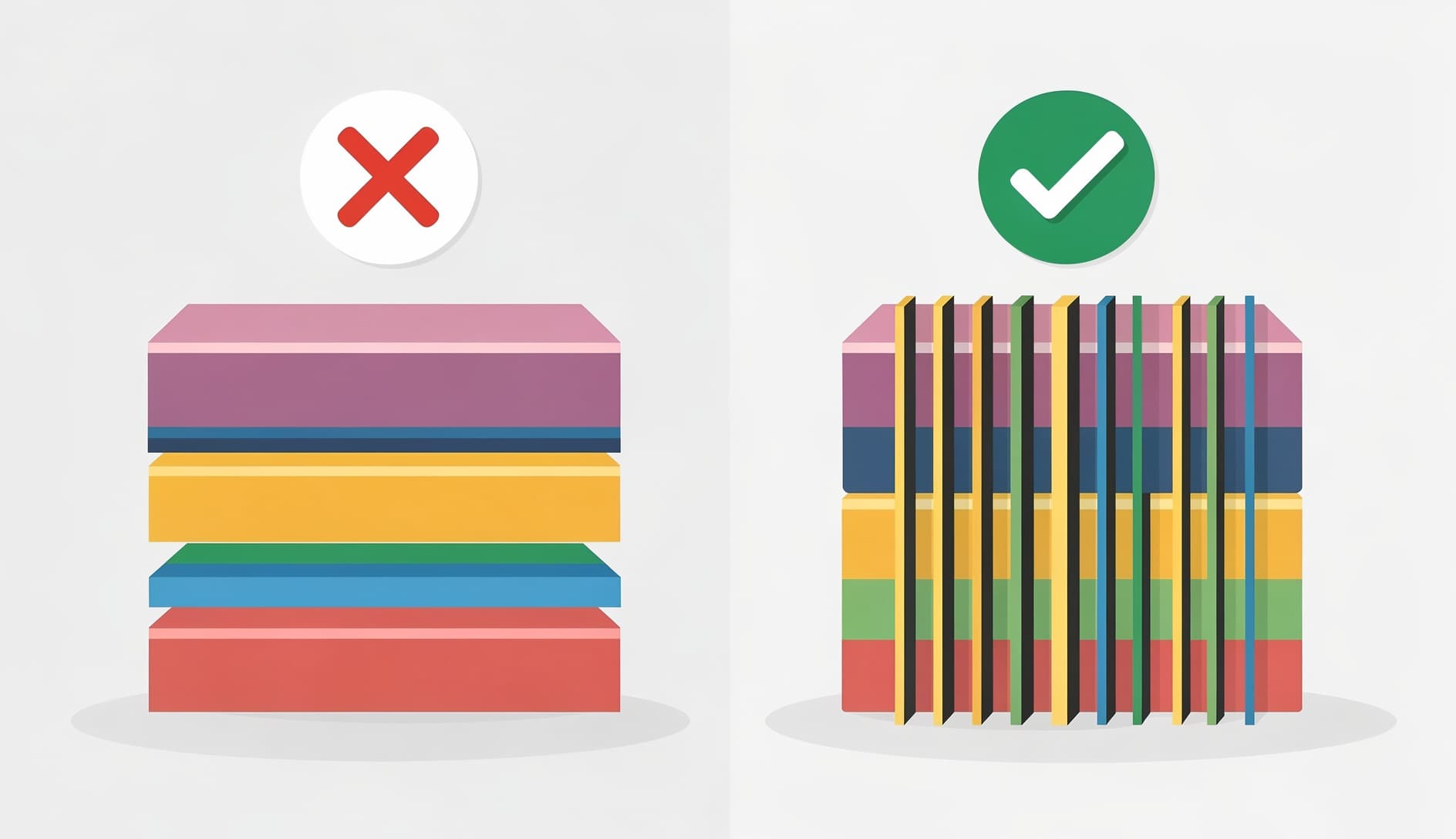
The most common splitting mistake is breaking an epic by technical layer: Instead, slice vertically. Each story should touch whatever layers are needed to deliver one thin piece of working functionality that someone can actually use and test. A vertical slice for a notification feature might be: "When a user is assigned a task, an in-app notification appears." That touches the backend (event trigger, notification record), the API (endpoint to fetch notifications), and the frontend (notification badge and list). It's thin, but it works end-to-end. Diagram showing the difference between horizontal splitting by technical layer and vertical splitting by user-facing functionality, with the vertical approach highlighted as the correct methodDiagram showing the difference between horizontal splitting by technical layer and vertical splitting by user-facing functionality, with the vertical approach highlighted as the correct method

When stories are still too big

Sometimes you split an epic and the resulting stories are still too large. A few signals:
  • The team estimates it at 13+ points
  • It has more than 5 acceptance criteria
  • The description uses the word "and" to connect two different behaviors
  • Multiple team members would need to work on it simultaneously
If that happens, apply the same patterns again. A story about "user can checkout with shipping and payment" splits into "user can enter shipping address" and "user can enter payment details." Keep going until each piece fits comfortably in a sprint.

Using tools to speed up the split

Breaking down epics is a skill that improves with practice, but tools can accelerate the process. Kollabe's Story Splitter takes an epic description and generates sprint-ready stories using the patterns above. It's a good starting point when you're staring at a large epic and aren't sure where to cut. Once you have your stories, the User Story Generator can help flesh them out with proper acceptance criteria and the standard user story format. Then bring them into planning poker to estimate and validate that the splits actually make sense to your team.

A quick checklist before sprint planning

Run through this before pulling any split stories into a sprint:

Each story delivers value a user can see or interact with

No story depends on another unfinished story in the same sprint

The team can estimate each story without extended debate

Acceptance criteria are defined for each story

Stories are vertically sliced, not split by technical layer

The original epic's full scope is covered across all stories

If all six check out, your stories are ready for sprint planning.

Start splitting

Six patterns, one rule: each story should deliver a vertical slice of value that fits in a sprint. When you're stuck staring at a vague epic, pick the first pattern that applies, make the cut, and validate with estimation. If the estimates are still all over the place, cut again.

Small enough to finish in one sprint, ideally estimated at 1-5 story points. If your team consistently finishes stories in 1-3 days, you're in good shape. Stories that take the entire sprint are risky because there's no room for surprises.

That's fine. An epic with 15-20 stories just means you have a clear roadmap for delivery. Prioritize ruthlessly. You don't have to build all of them. The product owner picks the highest-value stories for each sprint.

During backlog refinement. Sprint planning is too late because you need stories already refined and estimated before that meeting. Most teams split epics 1-2 sprints ahead of when they plan to work on them.

Play planning poker. If the team can estimate each story quickly and estimates cluster tightly (a 3, a 5, and a 5 rather than a 2 and a 13), the split is working. Wide estimation spreads mean the story is still too vague or too big.
Last Updated on 10/02/2026