Posts
Asynchronous Planning Poker with Kollabe


Matt Lewandowski
Last updated 06/04/20243 min read
How Async Planning Poker Works in Kollabe
The Benefits of Async Planning Poker
1. Accommodate Diverse Schedules
2. Encourage Thoughtful Participation
3. Enhance Remote Collaboration
4. Maintain Flexibility
Leverage Kollabe's Async Planning Poker Features
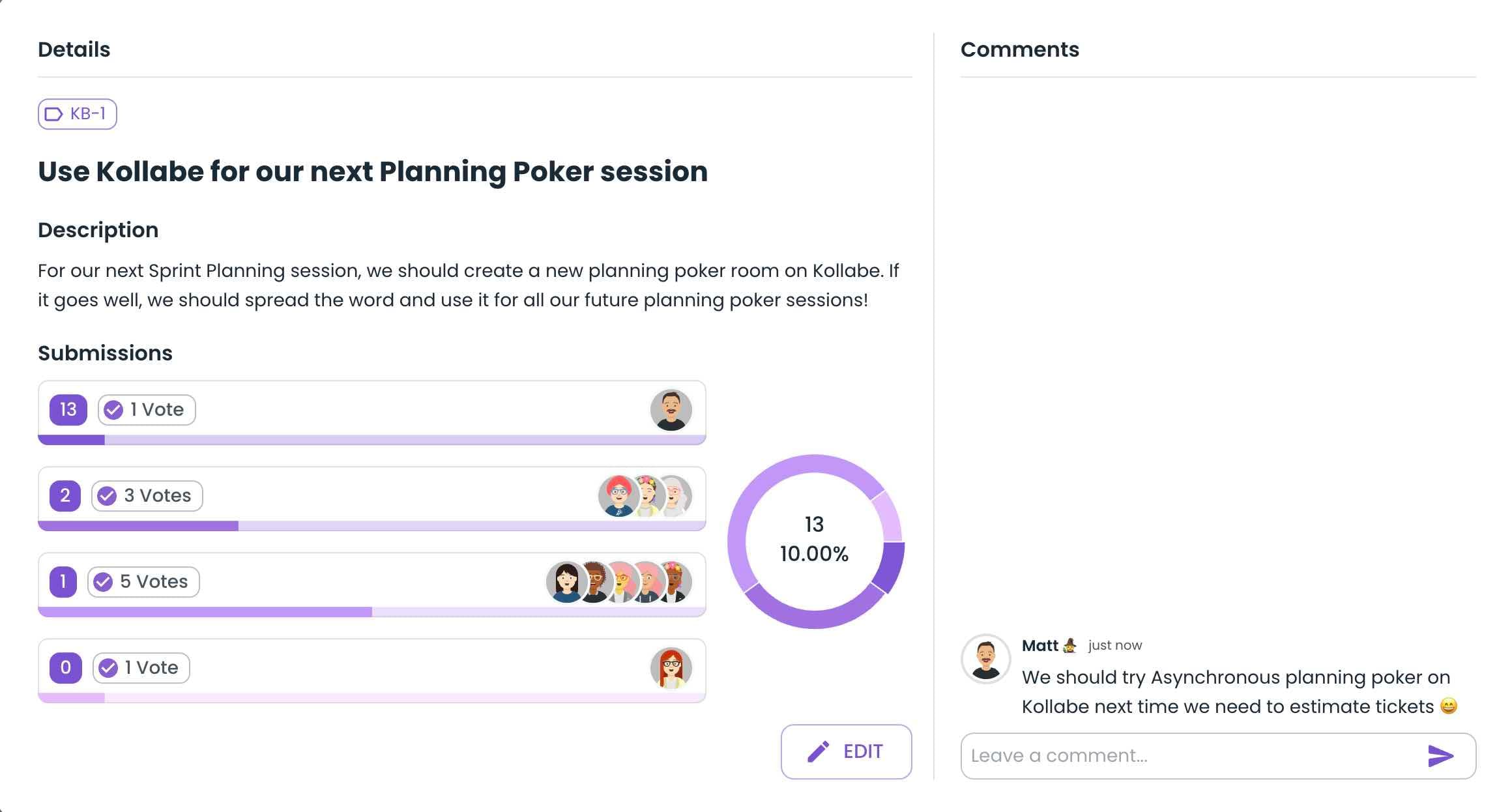
- Ticket Management: Easily add, edit, and organize the tasks or user stories that need to be estimated.
- Voting and Comments: Team members can cast their votes and leave comments on each ticket, fostering open communication.
- Progress Tracking: The Scrum master can monitor the team's participation and engagement, ensuring the session stays on track.
- Intuitive Filtering: Team members can filter tickets by tags or status, making it easier to navigate the estimation process.
How to create an Asynchronous Planning Poker Meeting
- Create a Meeting: Creating a new meeting only takes a few seconds. You only need a meeting name and a voting scale. You can create a planning poker meeting here.
- Create tickets: In order to get started, your team will need something to estimate. Kollabe offers several options for importing your tickets like a CSV import, Jira integration, or by manually entering them.
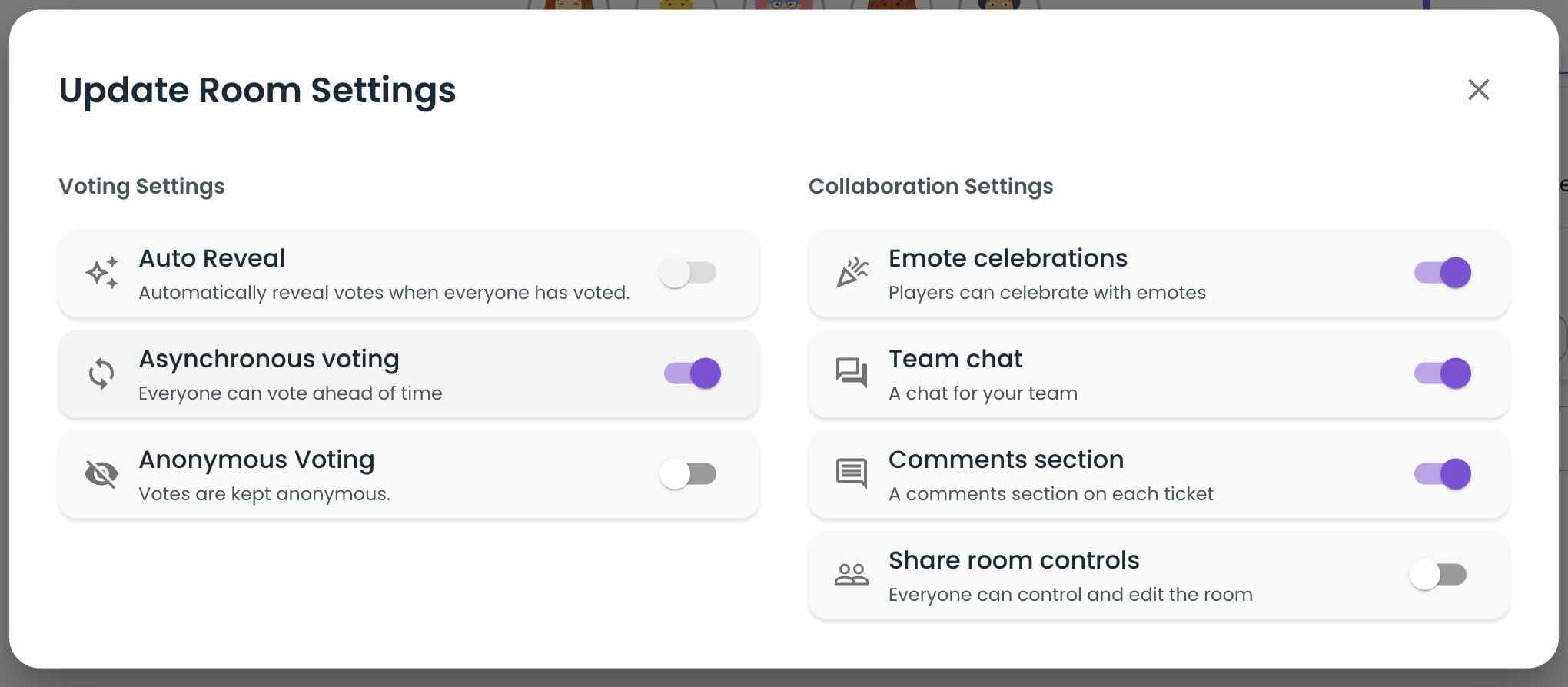
- Enable the Asynchronous Setting: Now that you are all set, you just need to enable Asynchronous voting in the game options. You can turn this on and off whenever you would like. Enabling Asynchronous voting will allow everyone to see and navigate all of the tickets.