
Multi-Group Membership

Matt Lewandowski
January 6, 2026
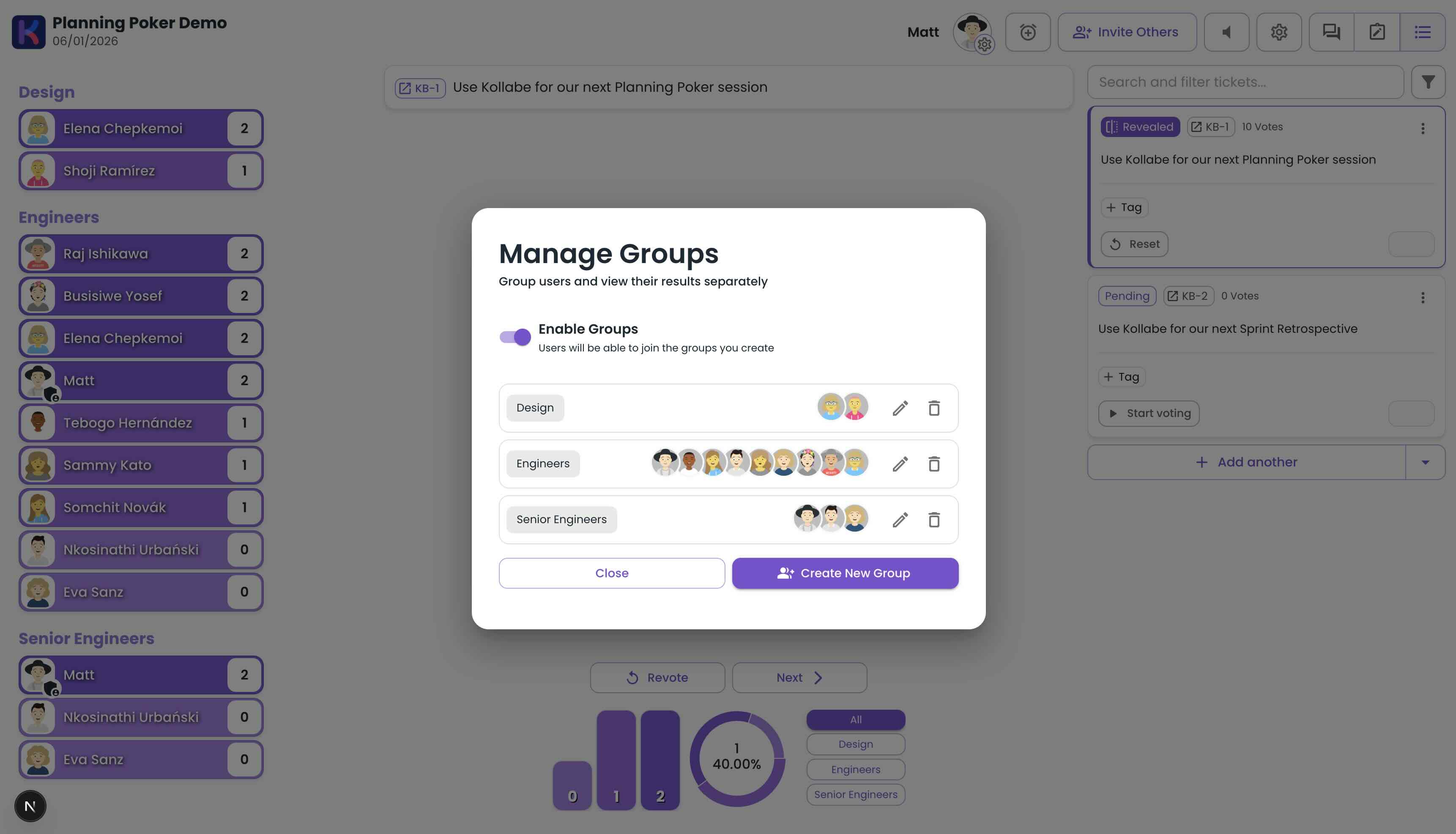
Multi-Group Membership
Team members can now belong to multiple groups at once—giving you more flexibility in how you organize and analyze your team's work across Planning Poker and your Teams Space.
What's New
Flexible Group Assignments
Add any user to as many groups as needed. Cross-functional team members, leads who span multiple squads, or anyone who wears multiple hats can now be properly represented.
Smarter Planning Poker Analytics
When a user belongs to multiple groups, their vote counts toward each group they're a member of. Switch between viewing individual group results or the combined view across all groups—whatever gives you the clearest picture.
Works Across Your Workspace
Multi-group membership applies everywhere: Planning Poker meetings and your Teams Space. Set it up once, and it's reflected across all your ceremonies.
Why It Matters
Real teams aren't siloed. Engineers join multiple squads. Tech leads span teams. Managers need visibility across groups. Forcing people into a single group meant your tooling didn't reflect how your team actually works.
Now it does.
Available now for all Kollabe users.