
Get Notified When You're @Mentioned in Retrospectives

Matt Lewandowski
January 31, 2026
Get Notified When You're @Mentioned in Retrospectives
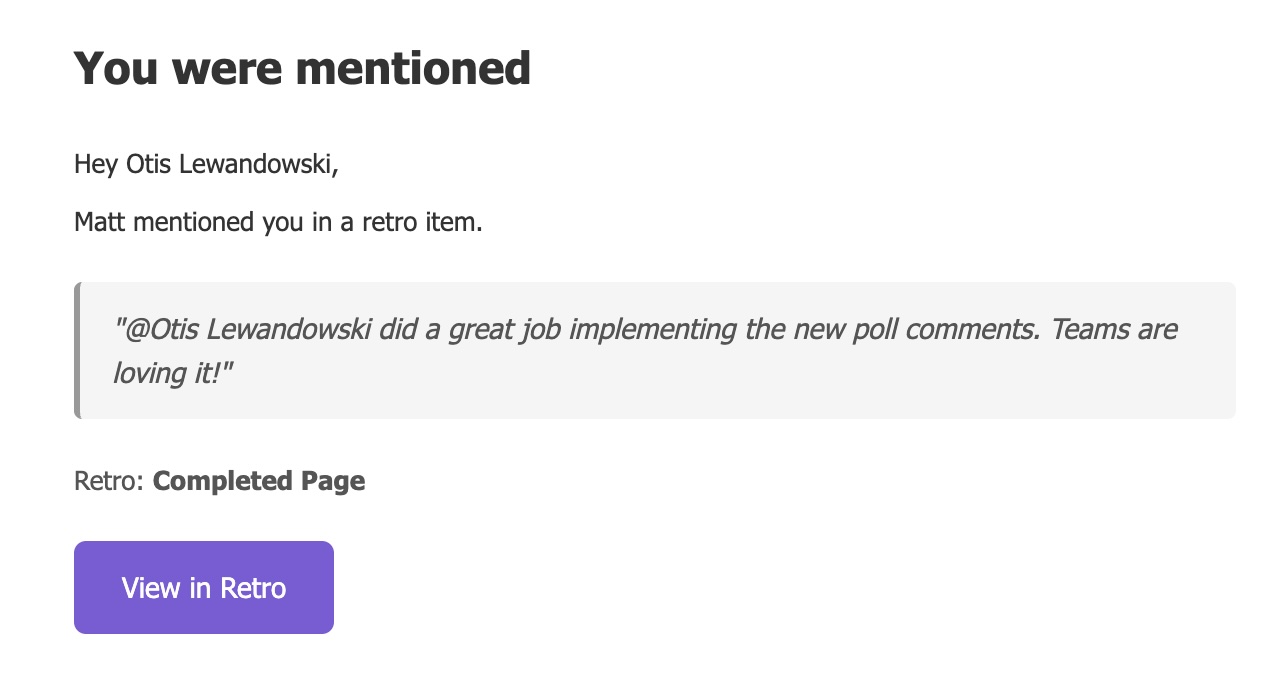
Stay in the loop with Retro Mention Notifications. When someone @mentions you in a retrospective item or comment, you'll now receive an email notification with a direct link to jump right into the conversation.
What's New
Email Notifications for @Mentions
When a team member mentions you in a retrospective, you'll receive an email letting you know. No more checking in manually to see if someone's asked for your input.
Item mentions: Get notified when someone @mentions you in a retro card
Comment mentions: Receive alerts when you're mentioned in item comments or poll comments
Direct deep links: Click through and land directly on the specific item or poll—opens right in the lightbox
Content preview: See a snippet of what was said without needing to open the app
Privacy-Aware
Mention notifications respect your team's anonymity settings at every level. If a retro, item, or comment is set to anonymous, the notification shows "Someone mentioned you" rather than revealing who wrote it.
Your Controls
Manage retro mention notifications from your Notification Settings under the Retros tab. Toggle mentions on or off independently from other notification types—enabled by default so you won't miss anything.
Why It Matters
@Mentions are how teams call out specific people for input, recognition, or follow-up. But if you're not actively watching the retro, you might miss that someone's asking for your perspective on an action item or crediting you for a win.
Email notifications close that gap. Your team can tag you knowing you'll actually see it, and you can stay focused on your work without constantly checking back.
Available now for all retrospective meetings.