
Posts
The Best Free Standup Tools in 2026


Matt Lewandowski
Last updated 19/05/20269 min read
What Is an Async Standup?
What Makes a Great Standup Tool in 2026?
Async-First Design
- Flexible submission windows
- Timezone-aware scheduling
- Persistent daily rooms (no meeting creation)
- Smart reminders for stragglers
Rich Communication
- Media uploads (images, videos)
- Formatted text and links
- Comments and reactions
- Team engagement features
Intelligent Insights
- AI-generated summaries
- Blocker detection and tracking
- Participation analytics
- Historical data and trends
- AI assistant integration (MCP) for auto-drafting and querying standups
Top 5 Free Standup Tools Compared
1. Kollabe
Standout Features
| Key Feature | Description |
|---|---|
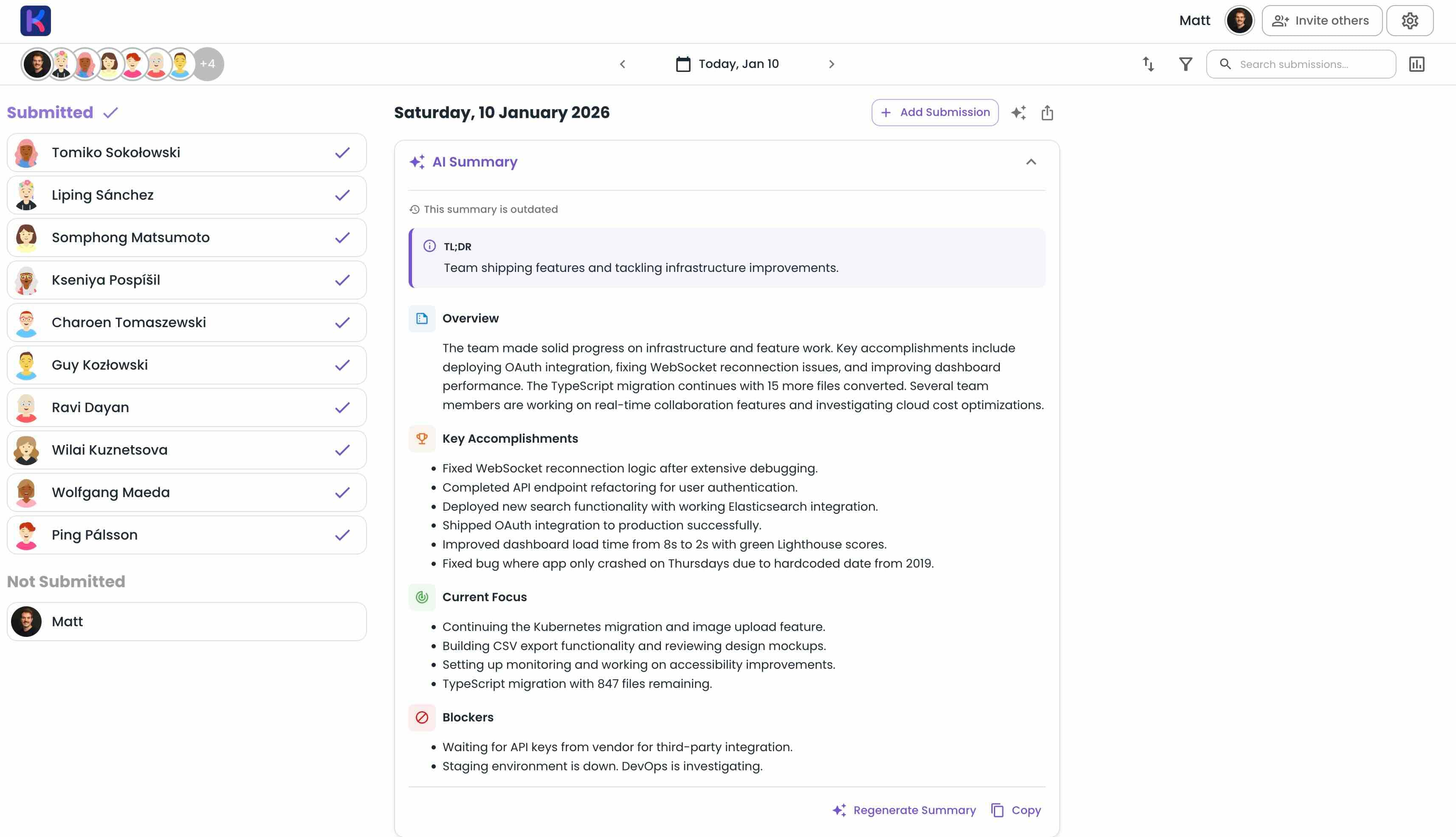
| AI Daily Summaries | Automated insights highlighting key achievements, blockers, and patterns |
| Weekly & Fortnightly Reports | Extended AI summaries for sprint reviews and longer cycles |
| Per-Group Summaries | Separate AI summaries for each space group within the same standup |
| Rich Media Submissions | Upload images and videos directly to showcase work visually |
| Persistent Daily Rooms | One room per day, no meeting creation required |
| Customizable Questions | Fully configurable with colors, required/optional flags, and emoji prefixes |
| Comments & Reactions | Engage with updates through threaded comments and emoji reactions |
| Smart Reminders | Timezone-aware email notifications for team members who haven't submitted |
| Scheduled Polls | Embed daily or weekly polls directly into your standup workflow |
| Slack DM Submission | Reply to a Slack DM at standup time; AI splits the message into answers (Premium) |
| Native MCP Server | Connect Claude, ChatGPT, Cursor, or Zed to draft and post standups directly (Premium) |
| Bulk Data Export | Export to CSV, JSON, or PDF for reporting and compliance |
Innovation Spotlight
Getting Started with Kollabe
- Sign up for a free account
- Select 'Create Standup' and customize your questions
- Invite your team via a shareable link (no account required to participate)
- Team members submit updates throughout the day at their own pace
- Review AI-generated summaries to stay informed without reading every update
Pros & Cons
| Pros | Cons |
|---|---|
| Comprehensive AI summaries (daily, weekly, fortnightly) | Some advanced features require paid plan |
| Rich media support with images and videos | Team size limit on free plan |
| Zero setup with persistent daily rooms | May have more features than simple teams need |
| Highly customizable questions with color coding | Slack and MCP integrations are Premium-only |
| Slack DM submission and native MCP server included |
Free Plan Value
- Team Size: Up to 15 users
- Features: Full access to core features including AI summaries
- Media: Image and video uploads included
- Export: CSV, JSON, and PDF export
- Retention: 7-day submission history
2. Geekbot
Feature Comparison
| Category | Available Features |
|---|---|
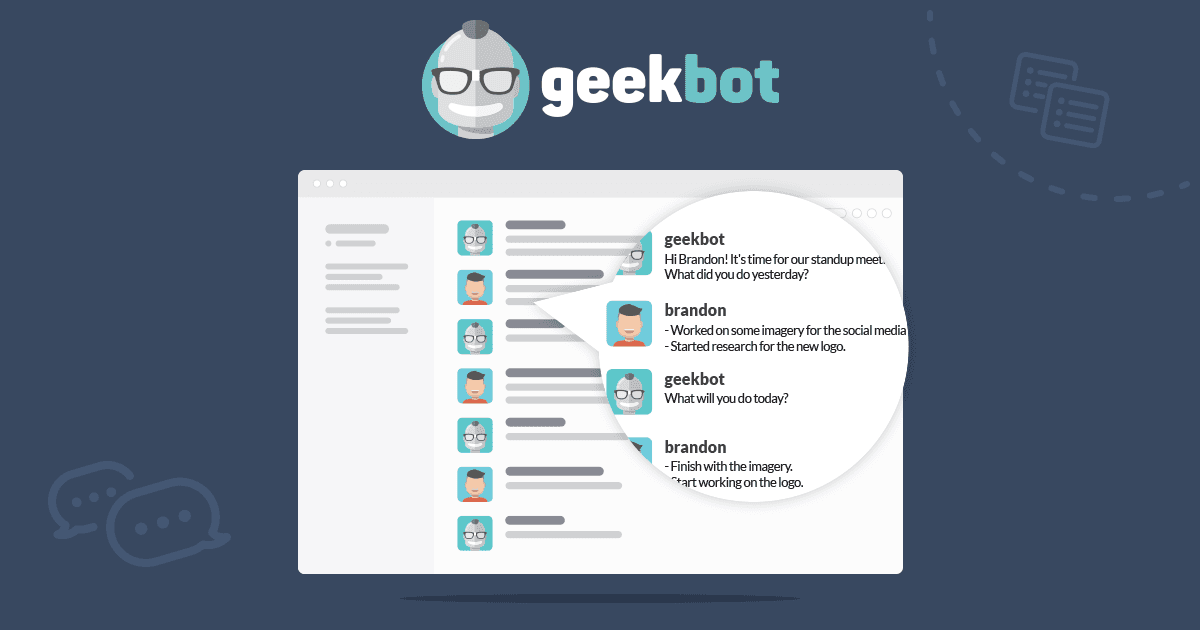
| Core | - Chat-native standup collection - Timezone-aware scheduling - Pre-filled templates |
| Analytics | - Participation rates - Data-driven dashboard - Email summaries |
| Collaboration | - Conversational AI queries - Anonymous reporting option - Team sentiment tracking |
Standout Elements
- Conversational Analytics: Ask Geekbot questions directly in Slack like "What has @John done on bug fixes since last month?"
- 200,000+ users at companies like GitLab, Netflix, and Shopify
Pros & Cons
| Pros | Cons |
|---|---|
| Seamless Slack/Teams experience | Requires Slack or Teams (no standalone web app) |
| Generous free plan (10 users) | Less visual than dedicated platforms |
| Conversational AI for querying updates | Limited customization compared to web-based tools |
Free Plan Details
- Team Size: Up to 10 participants
- Features: All features included (same as paid)
- Platforms: Slack and Microsoft Teams
- Dashboard: Data-driven analytics included
- Templates: Pre-filled templates available
3. Standuply
Feature Breakdown
| Category | Capabilities |
|---|---|
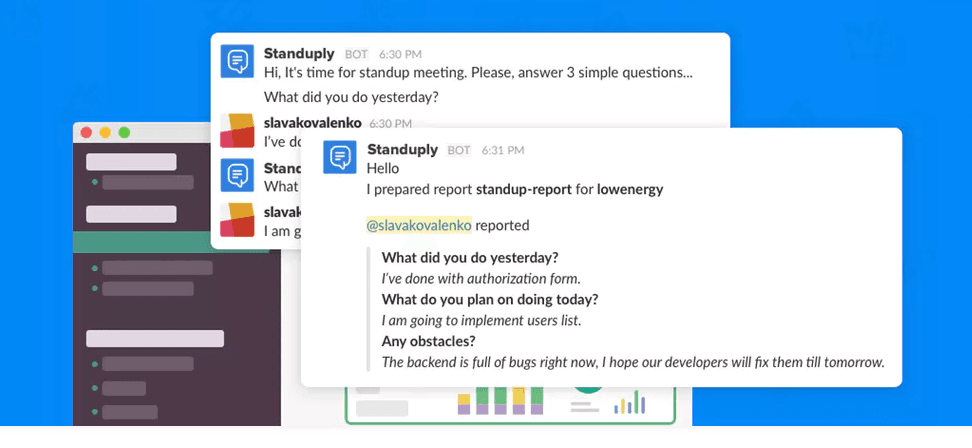
| Submission Types | - Text standups - Voice recordings (up to 5 min) - Video updates |
| Agile Tools | - Sprint retrospectives - Agile charts and reports - Task tracking integration |
| Automation | - Scheduled standups - Automatic report generation - 20+ workflow templates |
Unique Approach
- Video/Voice standups: Record up to 5-minute updates directly in your browser
- Virtual Agile Assistant: Acts as a digital scrum master for remote teams
- Deep integrations: Connects standups with Jira, Trello, GitHub, and more
Pros & Cons
| Pros | Cons |
|---|---|
| Unique video/voice standup option | Free plan very limited (3 respondents) |
| Comprehensive agile workflow support | More complex setup than simpler tools |
| Strong project management integrations | Pricing can add up for larger teams |
Free Plan Limitations
- Respondents: 3 users only
- Features: Limited to basic standup functionality
- Trial: 30-day full-feature trial available
- Support: Includes product demo and customer success
4. DailyBot

Core Capabilities
| Category | Features Provided |
|---|---|
| Productivity | - Async check-ins - Retrospectives - Polls and surveys |
| Engagement | - Kudos for peer recognition - Virtual coffee matching - Icebreakers and watercooler |
| Wellness | - Mental health checks - Birthday reminders - Team mood tracking |
Pros & Cons
| Pros | Cons |
|---|---|
| Comprehensive team engagement features | Can feel overwhelming if you just want standups |
| Very affordable pricing ($1.60/user/month) | Free plan has limited features |
| Multi-platform (Slack, Teams, Discord, Google Chat) | Less focused standup experience |
Free Plan Specifics
- Users: Limited free tier available
- Features: Basic check-ins and kudos
- Platforms: Slack, Teams, Discord, Google Chat
- Security: SOC2 Type II compliant
5. Range
Feature Analysis
| Category | Tool Offerings |
|---|---|
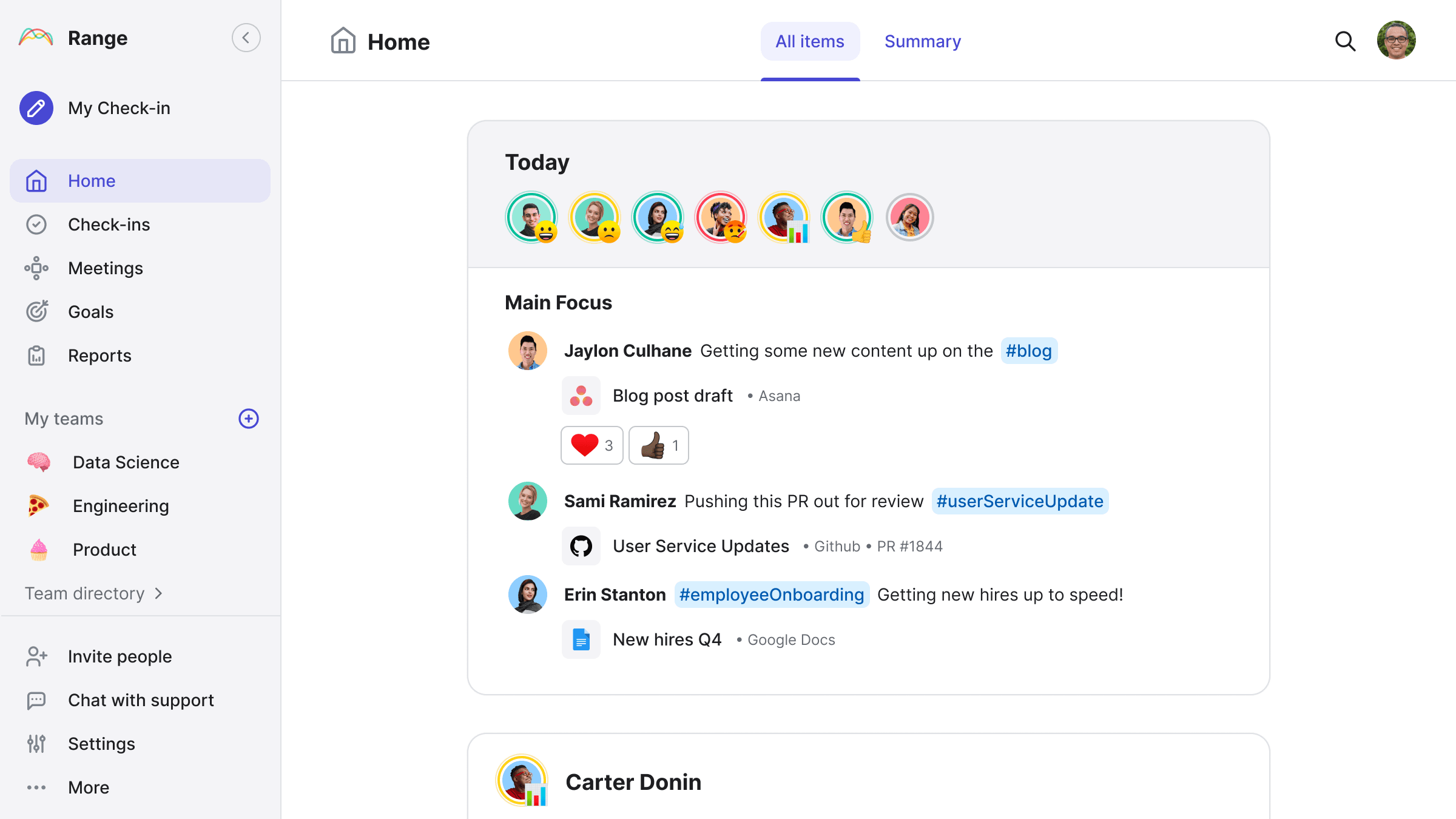
| Check-ins | - Async standup submissions - Daily icebreakers - Mood sharing |
| Meetings | - Meeting agendas - Meeting notes - Action tracking |
| Goals | - Team goals tracking - Progress visibility - Quarterly planning |
Standout Elements
- Daily icebreakers: Build team connection with fun daily prompts
- Private check-ins: Share updates with locked teams only
- Comprehensive tool integrations: Connects with Asana, GitHub, Jira, and more
Pros & Cons
| Pros | Cons |
|---|---|
| Generous free plan (12 users, 2 teams) | More than just standups—may be feature overload |
| Nice team-building icebreaker features | Private check-ins require paid plan |
| Good integration ecosystem | Less AI-focused than newer tools |
Free Plan Overview
- Users: Up to 12 users
- Teams: Up to 2 teams
- Features: Check-ins, goals, meetings, team directory
- Trial: 14-day Pro trial included
- Credit Card: Not required to start
Making the Right Choice
- Async-First Design
- Does the tool respect different time zones?
- Is it built for async, or is it a retrofit?
- AI & Intelligence
- Will you get automated summaries and insights?
- Does it help surface blockers and patterns?
- Team Experience
- Will your team actually enjoy using it?
- Is the interface intuitive or overwhelming?
- Growth Potential
- Does the free plan work for your team size?
- Are paid tiers reasonable if you need to upgrade?
Best for Different Scenarios
| Use Case | Best Tool | Main Advantage |
|---|---|---|
| Full-Featured AI Standups | Kollabe | Comprehensive AI summaries with rich media support |
| AI-Assistant Workflows | Kollabe | Native MCP server lets Claude, ChatGPT, and Cursor drive standups directly |
| Slack/Teams Native | Geekbot | Never leave your chat app |
| Video/Voice Updates | Standuply | Personal touch with recorded messages |
| Team Engagement Hub | DailyBot | Standups plus kudos, mood, and culture |
| Holistic Team Sync | Range | Check-ins plus goals, meetings, and directories |
The Future of Standups
- AI-Powered Insights
- Automated summaries replacing manual review
- Blocker detection and escalation
- Pattern recognition across sprints
- Rich Media Communication
- Video and image uploads becoming standard
- Visual demonstrations replacing lengthy explanations
- Screen recordings for bug reports and demos
- Contextual Intelligence
- Per-team and per-group summaries
- Cross-team visibility for leadership
- Predictive analytics for project health