How AI Spots Patterns in Your Standups Before Problems Escalate
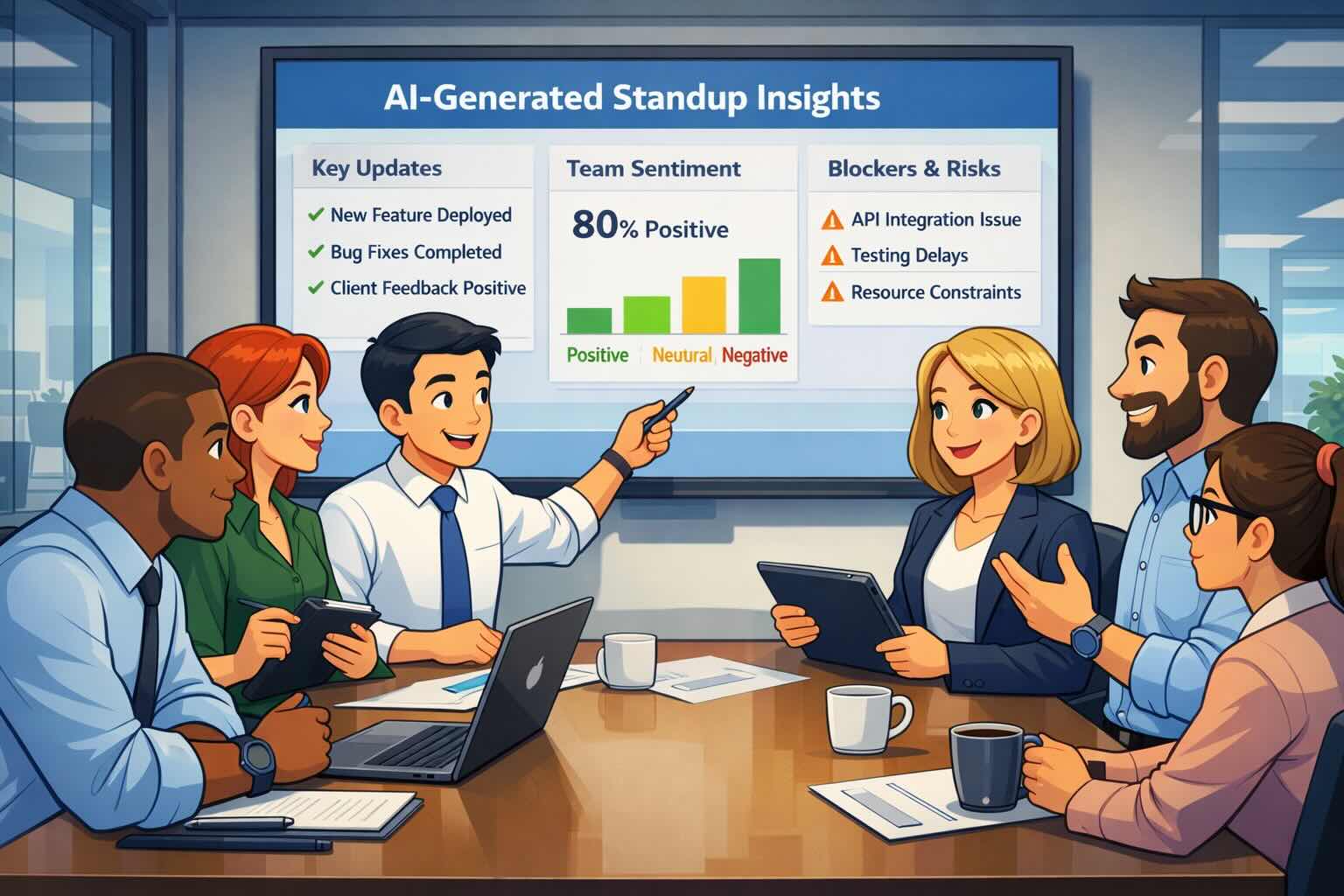
Team reviewing AI-generated standup insightsTeam reviewing AI-generated standup insights Your daily standup contains more information than you realize. Buried in those status updates are early warning signals: a blocker that keeps appearing, a team member whose participation dropped, or work that's been "in progress" for two weeks. The problem is that reading through every update takes time, and patterns spanning multiple days are almost impossible to spot manually. AI changes that equation. By analyzing standup data across days and weeks, AI can catch patterns humans miss and flag potential issues before they become real problems. Here's how it works.

The Problem with Manual Standup Review

Traditional standup review creates two problems that compound over time. Time drain: For a 10-person team submitting daily updates, a manager might read 50 individual submissions per week. Even at two minutes each, that's nearly two hours spent just reading, not acting. Pattern blindness: When you review standups day by day, you lose context. You might notice Sarah mentioned a blocker today, but did she mention the same blocker three days ago? Did it ever get resolved? Connecting those dots manually requires either exceptional memory or tedious back-scrolling. Manager reviewing standup updates on laptop, looking overwhelmed by the volume of information to processManager reviewing standup updates on laptop, looking overwhelmed by the volume of information to process

What AI pattern detection actually looks like

AI standup analysis does more than summarize text. Here's what it can do:

Identify recurring blockers

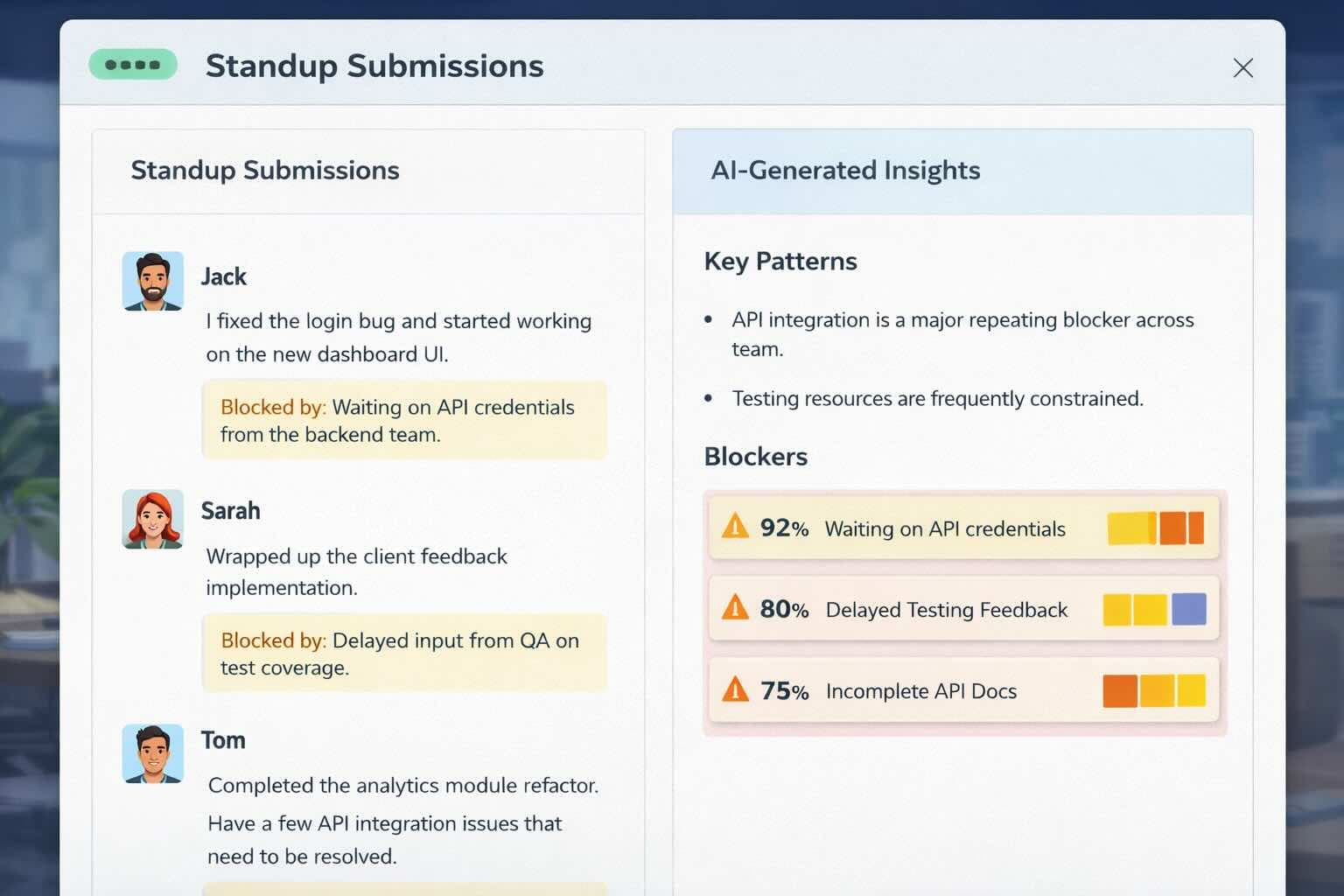
When the same blocker appears multiple times, whether from the same person or across different team members, AI flags it. Instead of discovering two weeks later that three people were stuck on the same API integration, you see the pattern after the second occurrence.

Track how focus shifts

AI traces how team focus changes over days and weeks. If the team started the sprint on Feature X but gradually pivoted to firefighting bugs, that drift shows up in summaries instead of hiding in individual updates.

Find collaboration patterns

By analyzing who mentions working with whom and which initiatives involve multiple people, AI can spot both healthy collaboration and coordination bottlenecks.

Monitor participation trends

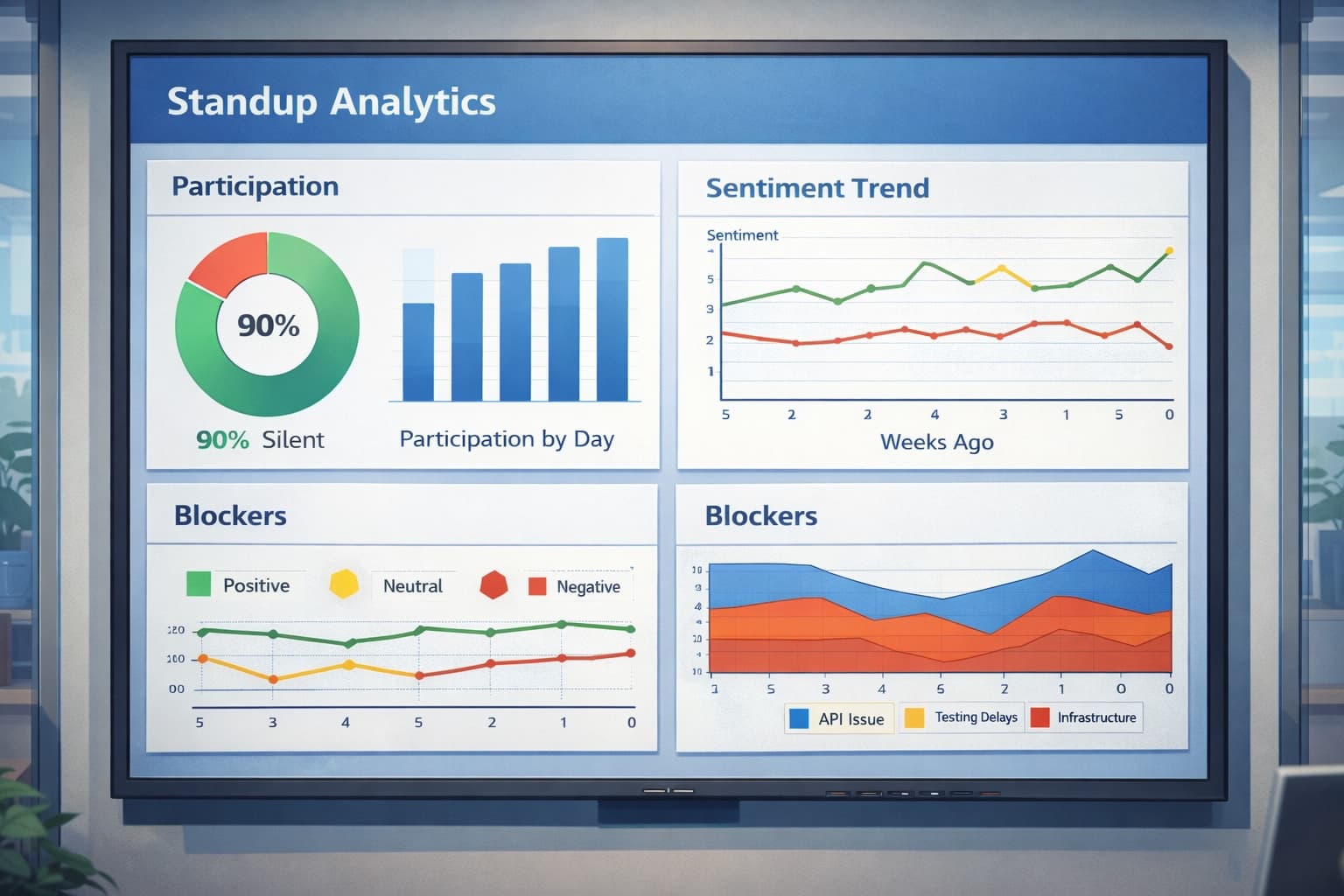
Participation data can reveal problems early. A sudden drop in someone's engagement might indicate burnout, confusion about priorities, or external factors. AI tracks these trends automatically. Dashboard showing standup analytics with participation charts and trend lines over timeDashboard showing standup analytics with participation charts and trend lines over time

How Kollabe's AI summaries work

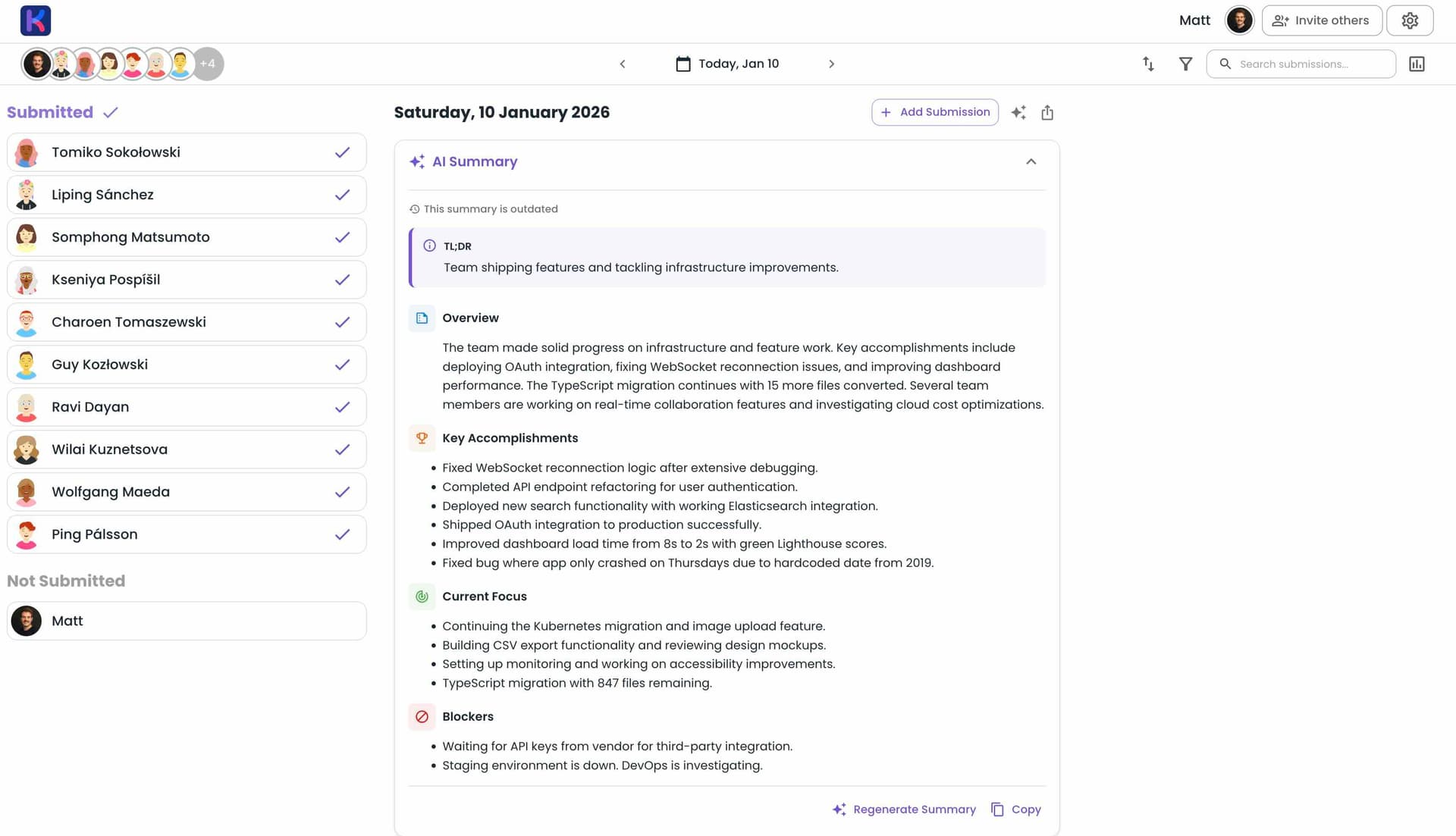
AI Standup Summary in KollabeAI Standup Summary in Kollabe Kollabe's standup tool generates three types of automated summaries, each for different review needs.

Daily summaries

After your team submits their updates, Kollabe generates a daily summary with:
  • TL;DR: A one-sentence snapshot of the day
  • Overview: What's happening with the team, their progress, and challenges
  • Key accomplishments: The most impactful work completed, ordered by significance
  • Current focus: What people are working on, grouped by theme
  • Blockers: Active issues that need resolution, prioritized by severity
The AI looks at more than just the text. It also analyzes reaction counts (which updates resonated with the team), comments (where discussion happened), and timestamps (patterns like late-day updates or next-day follow-ups).

Weekly and fortnightly reports

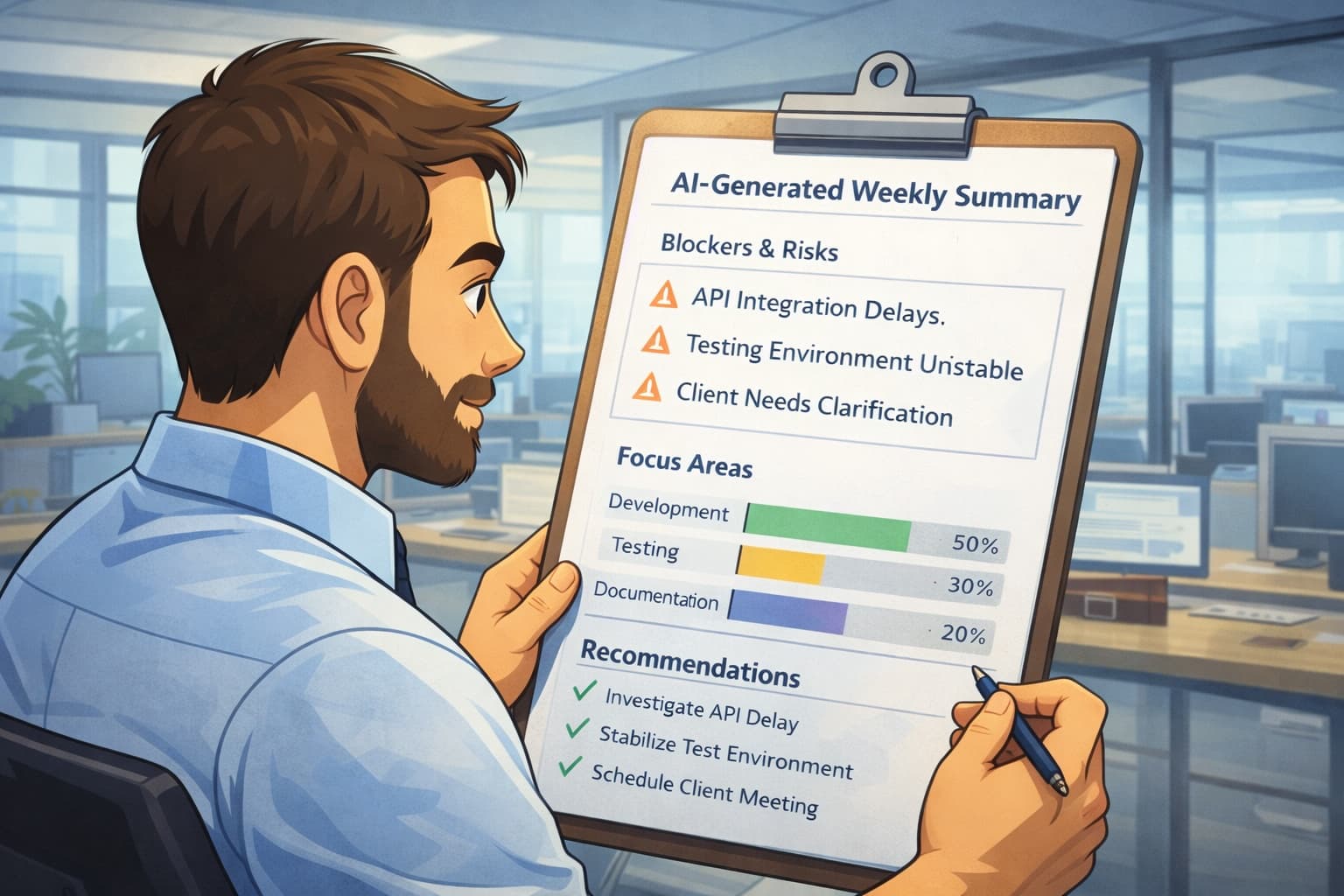
For sprint reviews or manager check-ins, Kollabe generates multi-day summaries covering 7 or 14 days. These add temporal analysis:
  • How focus areas changed over the period
  • Which blockers persisted and which got resolved
  • Participation trends across the time range
  • Collaboration patterns between team members
Team submits updates
Team members submit their daily standup updates at their own pace throughout the day.
AI analyzes data
Kollabe's AI processes all submissions, comments, reactions, and timestamps.
Patterns appear
The system identifies recurring themes, persistent blockers, and participation trends.
Summaries generate
Daily and weekly summaries appear automatically, showing what matters most.

Per-group summaries

For larger organizations, Kollabe generates separate AI summaries for each team or department within the same standup. Engineering leads see engineering updates while design leads see design updates, all without creating multiple standup rooms.

Real patterns AI catches that humans miss

Here are examples of what AI pattern detection actually finds.

The creeping blocker

What it looks like: Monday, Alex mentions "waiting on API credentials." Wednesday, Alex mentions "still need those credentials." By Friday, three other team members reference the same issue. What humans miss: Day-by-day review treats each mention as isolated. Nobody connects the dots until the sprint retrospective. What AI catches: By Wednesday's summary, the AI flags this as a recurring blocker affecting multiple team members. The weekly summary identifies it as the highest-severity issue of the week.

The silent slowdown

What it looks like: A team member's updates gradually shift from concrete accomplishments ("shipped the login page") to vague status ("continued work on authentication"). Their participation rate drops from daily to three times per week. What humans miss: The change happens slowly enough that no single day seems alarming. What AI catches: Weekly summaries include participation analysis. The AI notes declining submission frequency and flags the shift in update quality.

The invisible collaboration

What it looks like: Four different team members mention working on "the dashboard" in various ways across a two-week period. What humans miss: Without searching for the word "dashboard" specifically, you wouldn't know this initiative involved so many people or how their work connected. What AI catches: The multi-day summary groups related work by theme, showing that dashboard work dominated the sprint and involved nearly half the team.
🚧Blocker detection

AI identifies blockers mentioned multiple times and tracks whether they get resolved.

📊Participation tracking

Monitors who's submitting, how often, and how engagement changes over time.

🎯Theme grouping

Related work items get grouped together, showing where the team is actually spending effort.

Resolution tracking

Multi-day summaries show which challenges were resolved vs. which persist.

Team lead reviewing AI-generated weekly summary showing blockers and team focus areasTeam lead reviewing AI-generated weekly summary showing blockers and team focus areas

Acting on patterns

Spotting patterns is only valuable if you do something about them.

For recurring blockers

When AI flags a persistent blocker, escalate it immediately. Don't wait for the standup or the weekly sync. The pattern has already been identified; now it needs an owner and a resolution plan.

For declining participation

Have a private conversation with the team member. The AI data gives you something concrete to reference without being accusatory: "I noticed your updates have been less frequent this past week. Is everything okay? Is there something blocking you that we should address?"

For coordination issues

When AI shows multiple people working on related items without clear coordination, use that as a prompt to establish clearer ownership. The pattern reveals a process gap, not individual failure.

Setting up AI summaries in Kollabe

Getting started takes a few minutes.

Create a standup in Kollabe (or use your existing one)

Invite your team via shareable link

Wait for team members to submit their first round of updates

Click "Generate Summary" to see your first AI analysis

Set up daily or weekly summary generation on a schedule

Kollabe's AI works with any standup question format. Whether you use the classic "What did you do? What will you do? Any blockers?" or custom questions tailored to your team's workflow, the AI adapts its analysis accordingly. For teams with specific needs, Kollabe also supports custom AI instructions. You can tell the AI to focus on particular project areas, use certain terminology, or format summaries in a specific way.

Comparing AI standup tools

Several tools now offer AI-powered standup analysis. Here's how they differ.
FeatureKollabeGeekbotDailyBot
Daily AI summariesYesYesYes
Multi-day (weekly) summariesYesNoNo
Per-team group summariesYesNoNo
Blocker detectionYesLimitedLimited
Participation analyticsYesYesYes
Custom AI instructionsYesNoNo
Standalone web appYesSlack/Teams onlyChat apps only
The main difference with Kollabe is multi-day analysis. While most tools summarize a single day, Kollabe can analyze patterns across weeks, which is useful for sprint reviews and manager reporting. Interface showing standup submissions with AI-generated insights highlighting key patterns and blockersInterface showing standup submissions with AI-generated insights highlighting key patterns and blockers

Practical tips for AI-powered standups

To get the most out of AI pattern detection: Establish consistent submission windows. AI analysis works better when data arrives predictably. Set clear expectations for when updates should be submitted. Encourage detailed updates. "Worked on the feature" gives AI little to work with. "Completed the user authentication flow and started on the password reset integration" provides substance for pattern recognition. Review summaries daily at first. While the goal is to reduce time spent on standup review, you'll learn more about what the AI catches by reviewing summaries consistently for the first few weeks. Act on blocker patterns quickly. The value of early detection disappears if you wait until the weekly summary to address issues flagged on Tuesday. Share insights with stakeholders. Weekly AI summaries work well as executive updates. They provide the information leadership wants without requiring you to write a separate report.

AI pattern detection is highly accurate for objective patterns like recurring blockers and participation rates. Subjective assessments (like identifying burnout) should be treated as signals worth investigating, not definitive conclusions.

AI enhances async standups by extracting more value from written updates. Many teams find they can reduce or eliminate synchronous standup meetings when using AI-powered async tools.

AI analysis happens on the standup data your team already submits. No additional information is collected. Kollabe's AI summaries are visible only to team members with access to that standup.

Kollabe includes AI summaries in its free tier for teams up to 15 users. Larger teams or advanced features like custom AI instructions are available on paid plans.

What's coming next

AI standup analysis is still early. Current tools are good at pattern detection and summarization, but the next wave will likely include:
  • Predictive alerts: Flagging potential blockers before they're explicitly mentioned, based on patterns in how work is described
  • Cross-team analysis: Identifying dependencies and coordination needs across multiple teams automatically
  • Sentiment tracking: Detecting shifts in team morale through language patterns over time
  • Integration with project data: Correlating standup updates with ticket status, code commits, and other work artifacts
For now, the available tools are already a clear improvement over manual standup review.

Getting started

Kollabe's standup tool offers AI summaries on the free tier, making it easy to test pattern detection with your team. Try the interactive demo to see what AI-generated summaries look like, or create a free standup and invite your team.Last Updated on 02/02/2026